
Download Linkedin Posts Generator – AI LinkedIn Post Creator, Free & Secure Tool
Overview
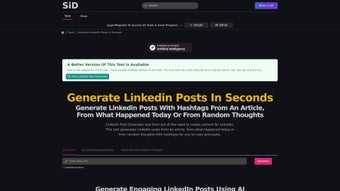
Linkedin Posts Generator is an AI‑powered web‑app built especially for content creators, marketers, and business professionals who want to stay active on LinkedIn without spending hours crafting each post. The platform offers three distinct generation modes – turning a full‑length article into a concise, hashtag‑rich post, summarising a current event into a share‑worthy update, or spinning a spontaneous idea into a polished status. By leveraging natural‑language processing, the tool automatically suggests relevant hashtags, suggests tags for other creators, and formats the output so it feels personal yet professional.
This makes it easy to maintain a consistent posting cadence, strengthen relationships with peers, and boost visibility in LinkedIn’s algorithm. While the generator excels at speed and contextual relevance, it currently lacks a native mobile app, deep analytics, and bulk‑post capabilities. Nonetheless, for anyone looking for a secure, free, and instantly updated solution to generate LinkedIn content, Linkedin Posts Generator offers a compelling balance of simplicity and AI sophistication.
Key Features & Benefits
- Three Generation Modes: Convert articles, capture trending news, or flesh out spontaneous ideas into ready‑to‑post LinkedIn updates.
- AI‑Driven Summarisation: The engine extracts the most compelling points from long‑form content, ensuring each post delivers value in under 130 characters.
- Automatic Hashtag Recommendations: Relevant, high‑impact hashtags are added automatically to increase discoverability.
- Creator Tagging Suggestions: The tool identifies potential collaborators or influencers to tag, fostering engagement and network growth.
- One‑Click Resharing: Quickly repurpose existing articles with fresh wording, keeping your feed lively without duplicate content penalties.
- Secure Cloud Processing: All text is processed over encrypted HTTPS connections; no personal data is stored after the session ends.
- Free Basic Access: Users can generate an unlimited number of posts without a subscription, making it ideal for freelancers and small teams.
- Regular AI Model Updates: The backend is refreshed weekly to stay aligned with LinkedIn’s evolving content standards and SEO trends.
These features translate into tangible benefits for the everyday LinkedIn user. First, the time saved is significant: what once required a 15‑minute drafting session can now be completed in under two minutes. Second, the built‑in hashtag and tagging engine helps creators reach new audiences without the guesswork of manual research. Third, because the AI respects LinkedIn’s character limits and formatting conventions, the output feels native, reducing the risk of post rejection or low engagement. Finally, the free tier removes financial barriers, allowing anyone—from solo consultants to growing agencies—to test the platform risk‑free before considering premium upgrades.
Installation, Usage & Compatibility
Getting Started – No Download Required
Linkedin Posts Generator is a browser‑based SaaS solution, which means there is no traditional installation process. Users simply visit the official website, create a free account with an email address, and are ready to generate posts instantly. Because the service runs entirely in the cloud, it works on any modern browser that supports JavaScript and HTTPS.
Step‑by‑Step Usage Guide
- Sign Up / Log In: Click “Get Started,” enter your email, confirm the verification link, and log in.
- Select a Generation Mode: Choose between “Article to Post,” “Current Event,” or “Idea Spark.”
- Paste or Upload Content: For article mode, paste the URL or copy‑paste the full text. For events, provide a short headline. For ideas, type a one‑sentence prompt.
- Configure Settings: Toggle options for hashtag density, tag suggestions, and tone (professional, conversational, or thought‑leadership).
- Generate & Review: Click “Create Post.” The AI returns a formatted LinkedIn update with suggested hashtags and optional creator tags.
- Copy & Publish: Use the “Copy to Clipboard” button, then paste directly into LinkedIn’s post composer.
Operating System Compatibility
Because the tool is web‑based, it is compatible with Windows 10/11, macOS Monterey and later, Linux distributions, as well as Chrome OS. Mobile browsers on Android 12+ and iOS 15+ can also access the platform, though the interface is optimised for desktop screens. Users seeking a fully native experience should note that there is currently no dedicated mobile app.
Security & Updates
All data transmission occurs over TLS 1.3, and the platform adheres to GDPR best practices. The AI model receives weekly updates, automatically improving summarisation accuracy and hashtag relevance without any action required from the user. Because there is no client‑side software, updates are instantaneous and never require a manual download.
Pros, Cons, FAQ & Conclusion
Pros
- Fast AI‑generated LinkedIn posts in seconds.
- Three versatile content‑generation modes.
- Automatic, context‑aware hashtag and tag suggestions.
- Free unlimited usage for basic features.
- Secure, cloud‑based processing with regular model updates.
Cons
- No native mobile app or offline mode.
- Limited multilingual support – currently English‑only.
- No built‑in image uploader or post‑scheduling tool.
- Analytics and bulk‑post generation are only available in premium tiers.
- Hashtag library could be expanded for niche industries.
Frequently Asked Questions
Is Linkedin Posts Generator really free?
Yes, the core functionality – generating unlimited posts in any of the three modes – is completely free. Premium plans add features such as analytics, bulk generation, and advanced scheduling.
Can I use the tool on my smartphone?
The platform works on mobile browsers, but the interface is optimised for desktop. A dedicated iOS/Android app is planned for future releases.
How does the AI decide which hashtags to suggest?
The AI analyses the semantic content of your input, matches it against a constantly refreshed hashtag database, and selects the most relevant and high‑engagement tags based on LinkedIn trends.
Is my data stored after I generate a post?
No. All text is processed in memory and discarded after the session ends. We do not retain personal or content data beyond the active session.
What if I need to generate posts in languages other than English?
Currently the engine supports only English. Multilingual support is on the roadmap for a future update.
Conclusion – Boost Your LinkedIn Presence Today
Linkedin Posts Generator fills a clear gap in the social‑media toolbox: it blends AI speed with LinkedIn‑specific best practices, allowing creators to publish high‑quality updates without the usual time drain. While it could benefit from deeper analytics and mobile integration, its free tier already offers more value than many paid schedulers. For professionals who want to stay top‑of‑mind in their network, the tool provides a secure, instantly updated, and user‑friendly way to turn articles, news, or spontaneous ideas into compelling LinkedIn posts.
Ready to streamline your content workflow? Download Linkedin Posts Generator now, create your first AI‑crafted post in seconds, and watch your engagement metrics climb. Join the growing community of marketers, recruiters, and thought‑leaders who have already turned posting into a painless, high‑impact activity.
Linkedin Posts Generator delivers fast, reliable LinkedIn content generation with AI‑driven summarisation and smart hashtag suggestions. The free tier is generous, and the user experience feels polished. The main drawbacks are the lack of mobile app and analytics, but these are outweighed by the time savings for most users.






